
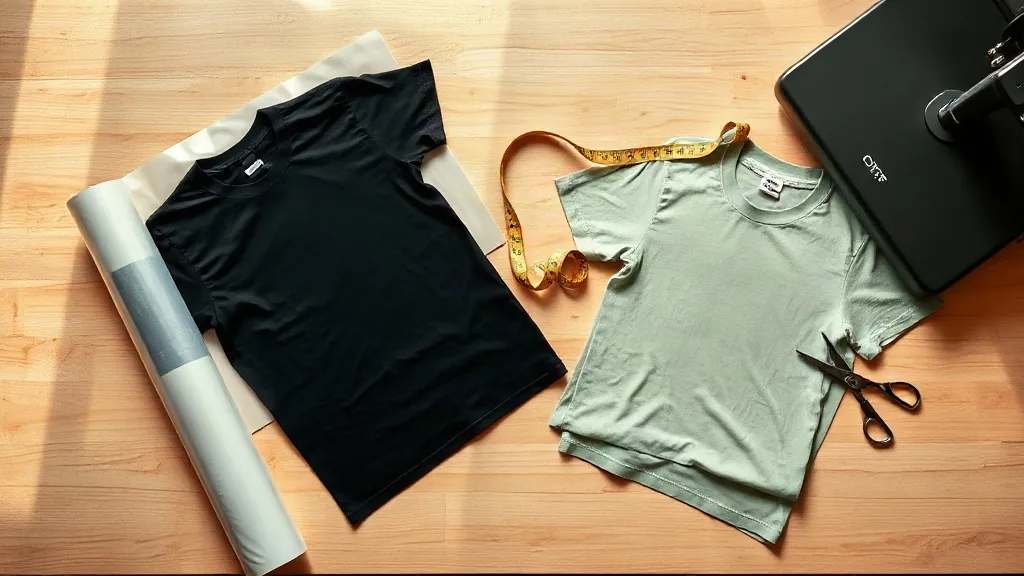
Most small apparel brands don't lose money on design. They lose it in the gap between a finished design file and a finished garment. That gap is where print costs creep up, where turnaround times slip, and where a promising drop turns into a spreadsheet full of margin problems. If you have ever paid for a single DTF transfer at retail pricing because you only needed six shirts, you already know the feeling. The fix isn't complicated, but it does require thinking about printing the way a screen printer thinks about a press sheet: as a shared space where every square inch counts.
This guide walks through how a DTF Gangsheet Builder changes that math, how to lay out a sheet so you stop wasting film, and how blank selection affects the whole equation. It is written for the person running a brand out of a spare room, not a print shop with a full-time production manager.
Why Gangsheets Matter More Than You Think
Direct-to-film printing works by printing your artwork onto a transfer film, dusting it with adhesive powder, curing it, and then heat pressing it onto fabric. The film comes in fixed widths, typically 12 to 24 inches depending on the printer, and it is sold by length. That means the cost of a print run is really the cost of the film you consume, not the number of designs you squeeze onto it.
A gangsheet is simply multiple designs arranged together on one continuous sheet so they share that film. Ten small chest logos on a 22-inch-wide sheet might take 12 inches of length. Ten separate single transfers might take 60 inches. Same prints, five times the film. The savings compound fast when you are producing a few dozen units at a time.
The economics of a single sheet
Say a 22 by 24 inch gangsheet costs you somewhere in the range of a few dollars in materials and printing time, depending on your supplier. If you can fit 24 pocket-size logos on it, your per-transfer cost drops to cents. If you print those same 24 logos individually, you are paying a per-transfer rate that can be ten to twenty times higher. For a brand selling tees in the 30 to 45 dollar range, that difference is the whole margin.
Speed is the quieter benefit
Cost gets the attention, but turnaround matters just as much. A single gangsheet with your whole seasonal range on it means one print job, one cure cycle, and one pressing session. Brands that print per-design often find themselves waiting on small batches that arrive at different times, which makes packing orders a puzzle. Consolidating onto one sheet keeps your production calendar predictable.
How a DTF Gangsheet Builder Actually Works
The old way of building a gangsheet involved opening a design program, manually dragging files onto a canvas, guessing at spacing, and hoping the print shop's software agreed with yours. It worked, but it was slow and error-prone, especially for people who are designers first and production planners second.
An online builder replaces that. You upload your artwork, the tool lays it out on a canvas sized to your film width, and it calculates the total sheet length as you go. Most builders let you rotate, duplicate, and resize pieces while showing a live length readout so you can see the cost impact of every decision.
What to look for in a builder
- Accurate length calculation that reflects real film consumption, not an estimate
- Support for transparent PNG files with clean edges
- Enough spacing between designs to allow for trimming
- A preview that shows actual print dimensions, not just a scaled thumbnail
- Reasonable minimums so small brands are not forced into oversized orders
If a builder cannot tell you the exact sheet length before you order, it is not solving the problem you came for. Length is the unit that determines your cost.
A layout habit worth building
Start with your largest designs and place them first, because they are the least flexible. Then fill the awkward leftover space with small chest logos, sleeve prints, and neck labels. Those small pieces are where the real efficiency lives, and they are the ones people forget to gang up. A sheet that is mostly large back prints with a few inches of dead space at the bottom is a sheet you paid too much for.
Choosing Blanks That Work With DTF
Transfer quality depends heavily on what you press it onto. DTF adheres well to cotton, cotton-poly blends, and most synthetics, which is one of its advantages over traditional screen printing. But not all blanks behave the same way, and the differences show up after a few washes rather than on day one.
This is where blank selection deserves more attention than it usually gets. A heavyweight cotton tee with a tight knit holds a transfer cleanly and resists the cracking that shows up on looser, thinner fabrics. Ringspun cotton tends to give a smoother surface, which helps fine detail in the artwork. If you are building a brand around consistent quality, standardizing on a few reliable blank styles is worth more than chasing the cheapest option per unit.
Brands that want a streetwear-leaning look often build their line around heavyweight tees, boxy fits, and fleece. shaka wear is one name that comes up in that conversation, particularly for its heavyweight cotton tees and hoodies, which take a DTF transfer well because of the denser fabric face. The practical point is not the brand itself but the principle: pick blanks whose fabric weight and knit density match your printing method, then stay consistent so your customers get the same garment every time.
A quick test before you commit
Press one transfer onto a sample of each blank you are considering. Wash it three times inside out, then look at the edges. If the transfer is lifting at the corners or the fabric has puckered, that blank is going to generate returns. Testing one shirt costs far less than replacing twenty.
Common Mistakes That Quietly Raise Your Costs
Most of the waste in DTF production comes from a handful of habits that are easy to fix once you notice them.
- Uploading low-resolution files. A design that looks fine on screen at 72 DPI will print soft. Build artwork at 300 DPI at final print size.
- Leaving no trim margin. Designs pressed edge to edge on the sheet are hard to cut apart cleanly, and a sloppy trim shows on the finished garment.
- Ignoring the film width. A design that is half an inch too wide for your sheet width forces you to rotate it or waste an entire column of space.
- Ordering one sheet per design. This defeats the entire purpose. Batch your designs by season or drop, not by SKU.
- Forgetting the white underbase. DTF prints a white layer behind the color, which is what makes it opaque on dark garments. Artwork with soft, semi-transparent edges can look muddy once that base is applied.
Building a Repeatable Production Workflow
Once the sheet layout is under control, the next gain comes from standardizing the steps around it. A simple workflow that holds up as you grow looks something like this: finalize artwork and export at print resolution, build the gangsheet and record the length, order, then log which designs went on which sheet so you can reorder the same layout next season.
That last step is the one most small brands skip. Keeping a note of your sheet layouts turns a one-off efficiency into a repeatable system. When a design sells out, you are not rebuilding the sheet from scratch, you are pulling up a saved layout and reordering it.
Where the gangsheet builder fits
Using a DTF Gangsheet Builder as the front end of that workflow keeps the planning and the ordering in one place. You lay out the sheet, see the length, and order without exporting to a separate file and emailing it to a supplier. For a brand shipping from a home studio, that reduction in handoffs is the difference between printing weekly and printing whenever you get around to it.
Frequently Asked Questions
How many designs fit on a typical DTF gangsheet?
It depends entirely on design size and film width. A 22-inch-wide sheet filled with pocket-size logos can hold several dozen pieces in a 24-inch length, while large back prints might only fit four to six. Measure your designs at final print size before laying out the sheet so the builder's length estimate is accurate.
Is DTF worth it for very small runs of ten shirts or fewer?
Yes, and this is where DTF outperforms screen printing most clearly. Screen printing carries setup costs per color per screen, which makes short runs expensive. DTF has no screen setup, so a ten-shirt run is priced on film and time alone. Gangsheets make even small runs economical.
Can I mix different garment colors in one DTF order?
Absolutely. The transfer itself is the same regardless of what you press it onto, so you can print one sheet and apply those transfers to white, black, and colored garments alike. The white underbase in DTF is what allows the same transfer to work on dark fabrics.
How long do DTF transfers last after pressing?
With a correct press, proper pressure, and washing inside out in cold water, a DTF transfer typically holds up for many washes. Longevity depends more on the blank and the pressing parameters than on the transfer itself, which is why testing your specific fabric and press settings matters.
Do I need design software to use a gangsheet builder?
No. You need finished artwork files, usually transparent PNGs at print resolution, but the layout itself happens in the builder. If you can export a clean PNG, you can build a gangsheet.